MX800 Monitor Simulator
The MX800 patient monitor for training in the hospital
For simulation training in the ICU, the emergency department and the skills lab: the MX800 in simHEART replicates the structure and operating logic of the original. Your team trains on the monitor it knows from the bedside, with its keys, menus and alarms.
You control vital signs and the course of the case from a second device, and the monitor responds as it would on a patient. You need no new hardware: simHEART runs on the iPad, on other tablets and on the computer in the browser.
The MX800 is included in the Plus MX800, Pro, and Max licenses.
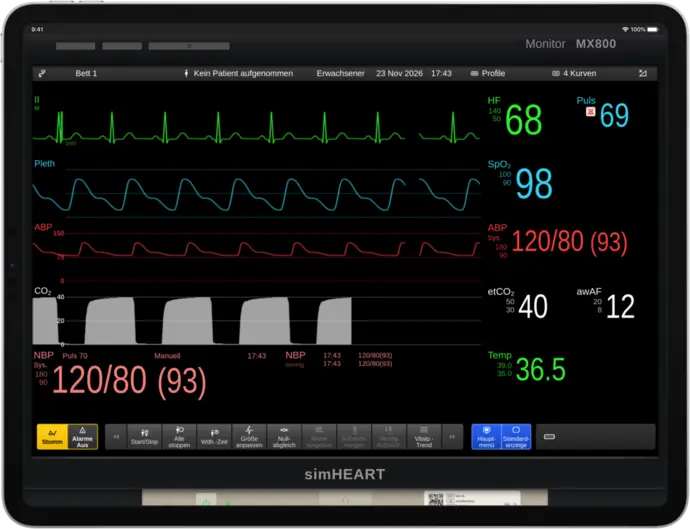
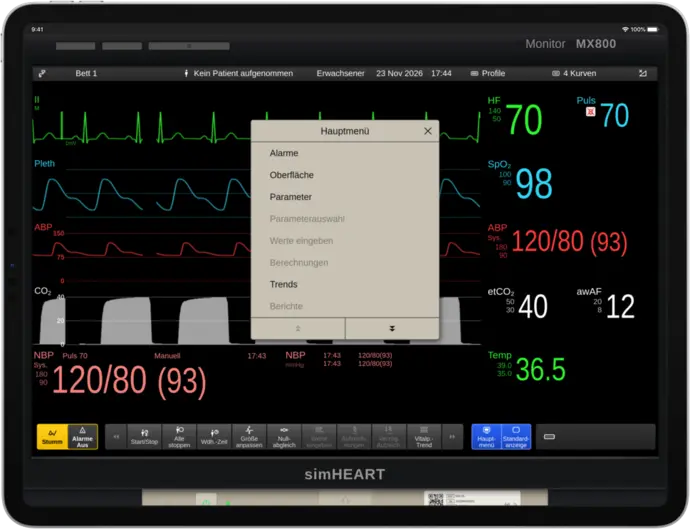
Operated as at the bedside
Screen keys, menus and windows follow the original. A touch on a value or a curve opens its menu, the main menu leads to alarms, parameters and trends. Functions the simulator does not cover are greyed out.
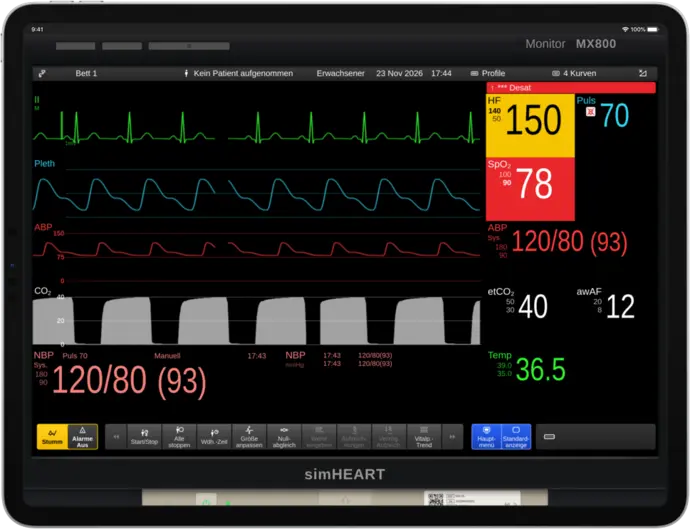
Train alarm management
Red and yellow alarms come with tone, alarm lamp and a flashing value, a lost sensor as a technical message. Your team acknowledges, pauses and adapts the limits to the patient. In the debriefing the alarm review shows when each alarm came and when it was acknowledged.
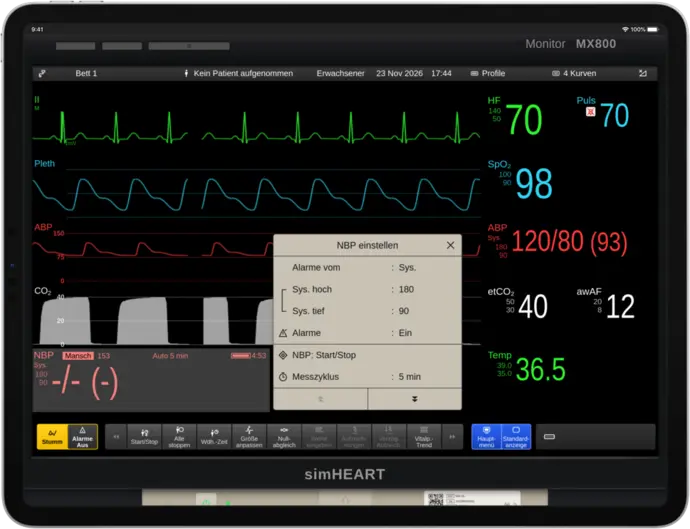
Blood pressure: cuff and arterial line
The cuff measures at the press of a key, as a series with an adjustable interval or as a STAT series over five minutes, and the last measurements are listed. The arterial pressure runs as a curve with zeroing.
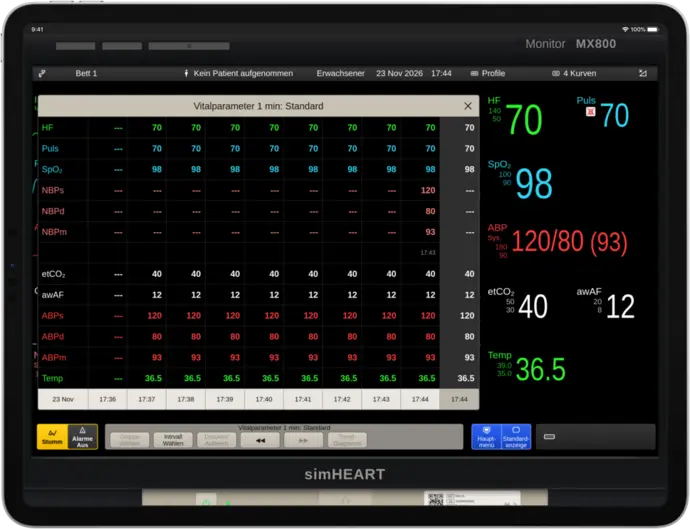
Admission, category and trend
Admit and discharge a patient and choose the patient category adult, child or infant, each with its own alarm limits. The vital signs are recorded in a trend table, for a handover for example. The QRS tone drops in pitch as the saturation falls, as on the real monitor.
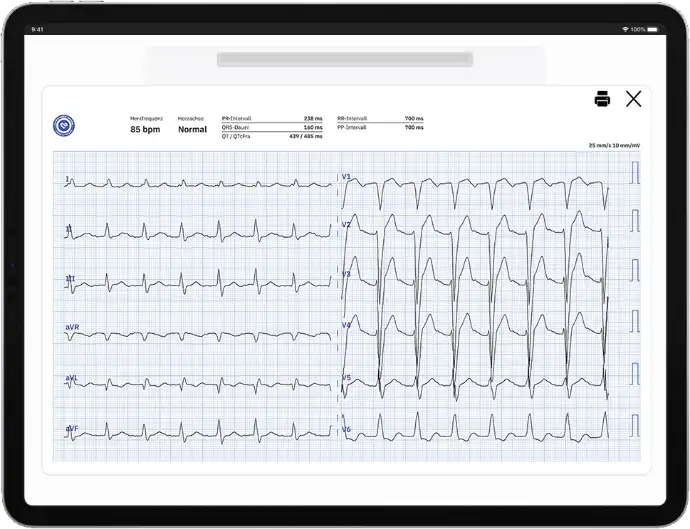
12-lead ECG as a printout
Store a 12-lead ECG in the scenario and your team prints it as a report at the monitor. The library holds more than 50 ECGs, among them STEMI, OMI, AV blocks, bundle branch blocks and tachycardias. You can upload your own ECGs.
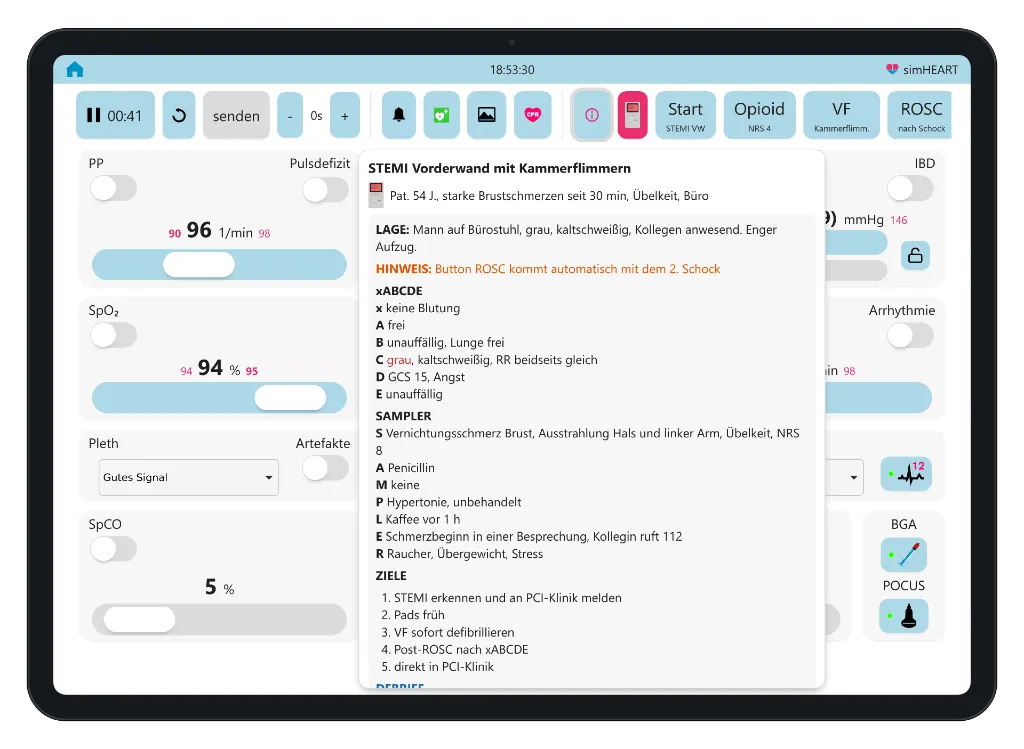
You control the course
From a second tablet, laptop or smartphone you change vital signs and rhythm live or run a prepared scenario. Case information, goals and debriefing questions stay in view. You create your own scenarios in the editor.